
A Practical Incident Response Process for Small Teams
Define detection, roles, communication, containment, recovery, learning, and follow-up. Read a practical framework from CodersDive.
A Practical Incident Response Process for Small Teams is not mainly a technology question. It is a decision about risk, repeatability, visibility, recovery, and ownership. Teams get into trouble when they select a tool or feature before agreeing on the business behavior that needs to change. Define detection, roles, communication, containment, recovery, learning, and follow-up.
Start with the decision, not the tool
The useful starting point is to describe the current situation in plain language. Who is trying to do what? What slows them down? What information do they need? What happens when the normal path breaks? A good answer exposes the real constraint. It may be missing context, weak trust, unclear ownership, inconsistent data, or an experience that asks too much before delivering value.
Define the outcome in observable terms
Then translate the problem into a measurable product or operational outcome. Avoid goals such as "use AI," "modernize," or "improve the UX." Prefer a statement such as: reduce the time required to complete a task, increase the percentage of users reaching a meaningful milestone, lower preventable errors, or give operators reliable visibility into exceptions. A concrete outcome gives the team a way to compare options and say no to attractive distractions.
A practical framework
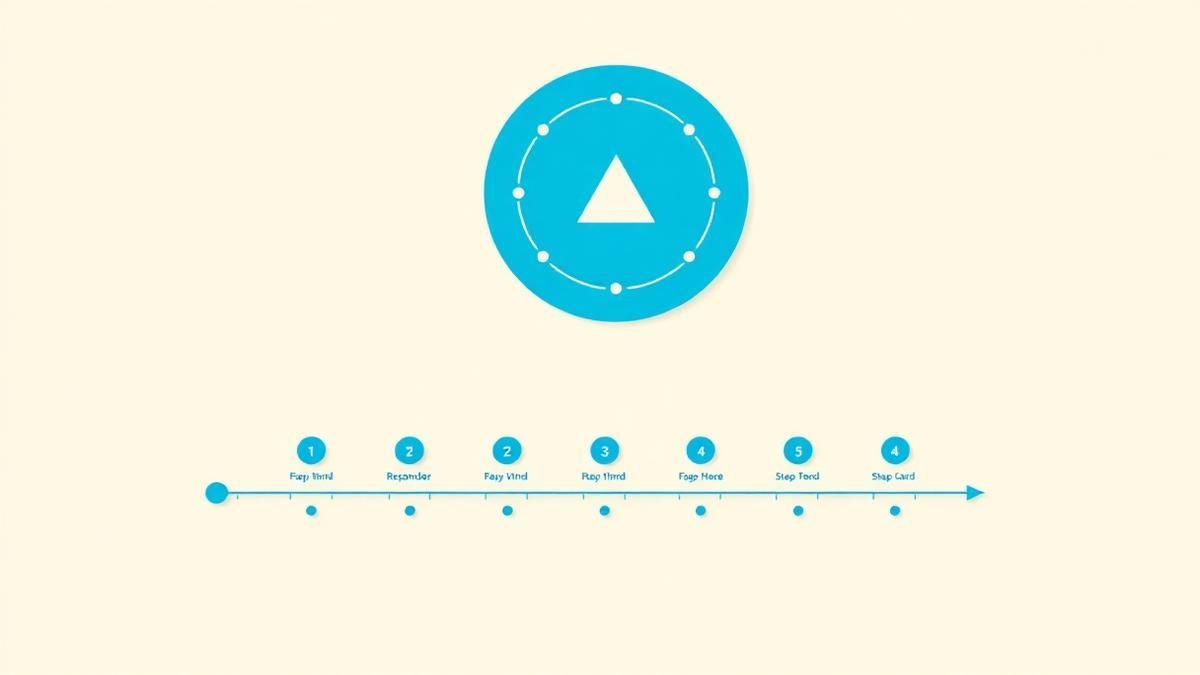
A practical framework is:
- 1Define the failure that matters
- 1Make the system observable
- 1Automate the repeatable path
- 1Test recovery and limits
- 1Assign clear operational ownership
The failure mode to watch
The most common failure is treating the visible interface as the whole solution. In reality, the result depends on the surrounding system: data quality, permissions, integrations, ownership, support, analytics, and the behavior of people who must adopt it. A polished screen cannot compensate for a workflow that remains unclear or a system nobody trusts.
Protect the learning in the first release
For a first release, protect the learning objective. Build only enough to test the central assumption with realistic users and operating conditions. Define what success, failure, and "needs another iteration" look like before launch. That makes the project a controlled decision rather than an expensive act of optimism.
Final thought
The right answer to a practical incident response process for small teams is rarely a universal best practice. It is the approach that fits the product stage, risk, users, operating model, and evidence available now. CodersDive helps teams turn that context into a focused plan, a credible release, and a system they can continue to own.
focused discovery or product engineering engagement.
While high-level frameworks provide the structure, the success of incident response in small teams hinges on reducing cognitive load during the crisis. The following sections detail the technical implementation of the detection-to-recovery pipeline, focusing on high-signal alerts and lean documentation.
Implementing High-Signal Detection and Paging
A practical threshold for small teams is the "User-Impact Delta." Do not page for a 5% increase in CPU usage if latency and error rates remain flat. Instead, configure alerts based on these three signals: 1. Availability: Success rates of your core "money-making" endpoints (e.g., `/checkout` or `/api/v1/auth`) dropping below 99.5% over a 5-minute rolling window. 2. Latency: P95 response times exceeding 3x your baseline for sustained periods. 3. Saturation: Queue depth or disk space reaching 85%, indicating an imminent, rather than current, failure.
When an alert triggers, use a consolidated paging tool like PagerDuty or Opsgenie, but bridge it directly to a dedicated `#incident-active` Slack channel. This prevents information siloed in private DMs and ensures that any engineer jumping in has the full context of the timeline from the moment of detection.
The Containment Decision Framework
Use this decision matrix to determine your containment strategy: 1. Is the incident related to a recent deploy? Roll back immediately. Do not attempt a "roll forward" with a hotfix unless a rollback is technically impossible (e.g., destructive database migrations). 2. Is the incident caused by a specific traffic source? Implement rate limiting or block the IP/User-Agent at the CDN or Load Balancer level. 3. Is a non-critical microservice causing cascading failures? Sever the connection. It is better for the app to hide a "Recommended Products" widget than for the entire landing page to return a 500 error.
Mini-Scenario: A fintech startup notices a spike in database locks. The Incident Commander identifies that a new analytics export job is hogging connections. Instead of refactoring the query mid-incident, the team kills the process and disables the cron job. Recovery time: 4 minutes. Root cause analysis: Saved for the following Tuesday.
Automated Post-Mortems and "Useful" Learning
Follow this post-incident checklist within 48 hours of every Severity 1 incident: * Timeline sync: Collate logs and Slack timestamps to create a single source of truth. * Five Whys: Dig past "human error" or "server failure" until you reach a process or architectural deficiency. * Action Items: Create no more than three JIRA/Linear tickets. If you create ten, none will be completed. * Metric Adjustment: If the incident was detected by a customer before an internal alert, your first action item must be creating a new monitor for that specific failure mode.
The "Success Signal" for your incident process is a decreasing Mean Time to Detect (MTTD). If your team identifies issues before your users do, the process is working.
Frequently asked questions
Who should be the Incident Commander in a team of five people? The Incident Commander (IC) should be the person with the best bird's-eye view of the system, not necessarily the most senior coder. In small teams, the IC often rotates, but their primary job is to coordinate communication and prevent "tunnel vision" in the engineers performing the technical fixes. The IC should stay out of the code to maintain a clear view of the timeline and stakeholder updates.
How do we handle internal communication without losing time? Establish a "Heartbeat" protocol. During an active incident, the Incident Commander should post a brief status update in the dedicated channel every 15 to 20 minutes (e.g., "Investigating DB locks; no fix yet; next update in 15 mins"). This prevents stakeholders or other engineers from pining the responders for status, allowing the technical team to focus entirely on the resolution.
When is an incident officially "resolved" versus "contained"? Containment is when the customer-facing impact has stopped (the site is up). Resolution is when the system is back to its target state and the temporary "band-aid" (like a disabled feature or a manual database override) has been addressed or stabilized. You should move to the "Learning" phase only after resolution, but the "Follow-up" tasks can be scheduled as standard sprint work.
Have a similar decision in front of you? Talk to CodersDive about a focused discovery or product engineering engagement.
Discuss your product Cloud, DevOps & Quality
CI/CD Explained for Non-Technical Leaders
Explain continuous integration and delivery as a risk-reduction and speed system, not just tooling. Read a practical framework from CodersDive.
 Cloud, DevOps & Quality
The Minimum Observability Stack for a Growing Product
Cover logs, metrics, traces, alerts, ownership, and user-impact context. Read a practical framework from CodersDive.
 Cloud, DevOps & Quality
Cloud Cost Optimization Without Breaking the Product
Start with visibility, waste, architecture fit, and safe experiments instead of random cuts. Read a practical framework from CodersDive.